Seeker UI
Free & Open Source

Your visual workspace
for AI assistance

Point, tick, and run — browse your project visually, select the files the AI should see, and compose your prompt in a structured editor. Every change the AI proposes is displayed side-by-side so you can review, approve, or discard it before anything on disk is touched.

↓ Download Free View on GitHub ↗

Built for thinkers,
not typists

Most AI tools are built around typing commands and pasting code snippets. Seeker UI is built around the way people actually think — visually, in context, with files at hand.

✗  CLI-Based AI Tools
Paste walls of code and hope the context limit holds
Copy file contents manually, one file at a time
Memorize flags and API parameters just to send a request
Apply AI suggestions by hunting through files yourself
No visual overview of your prompt before sending
✓  Seeker UI
Tick the files you want — context is assembled automatically
Structured editor keeps system role, task, and files clearly separated
Choose a model from a dropdown and click Run — nothing more
Review AI-proposed changes in-app and apply with one button
Files, prompt, and response visible in a single workspace

A workspace built for clarity
and speed

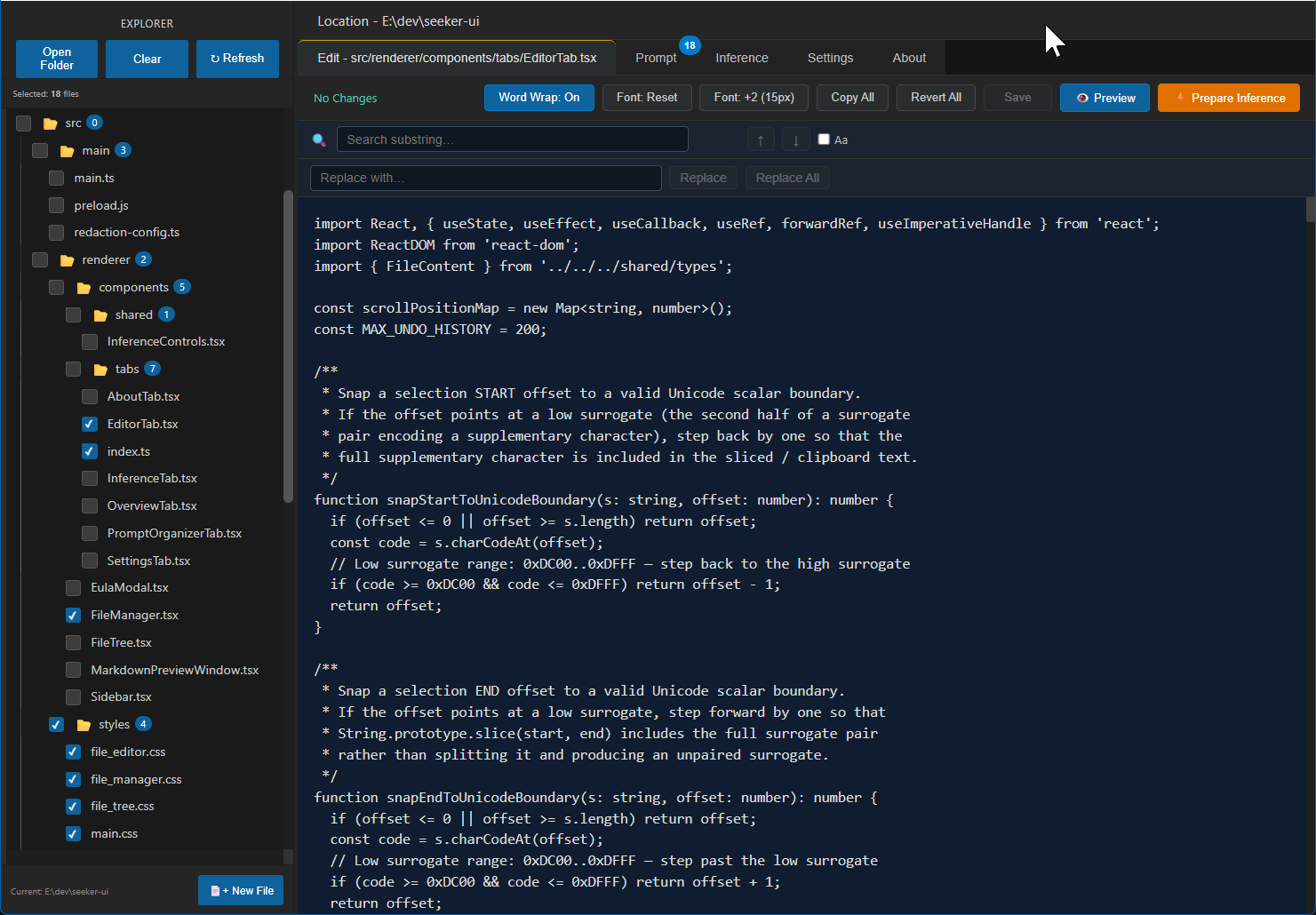
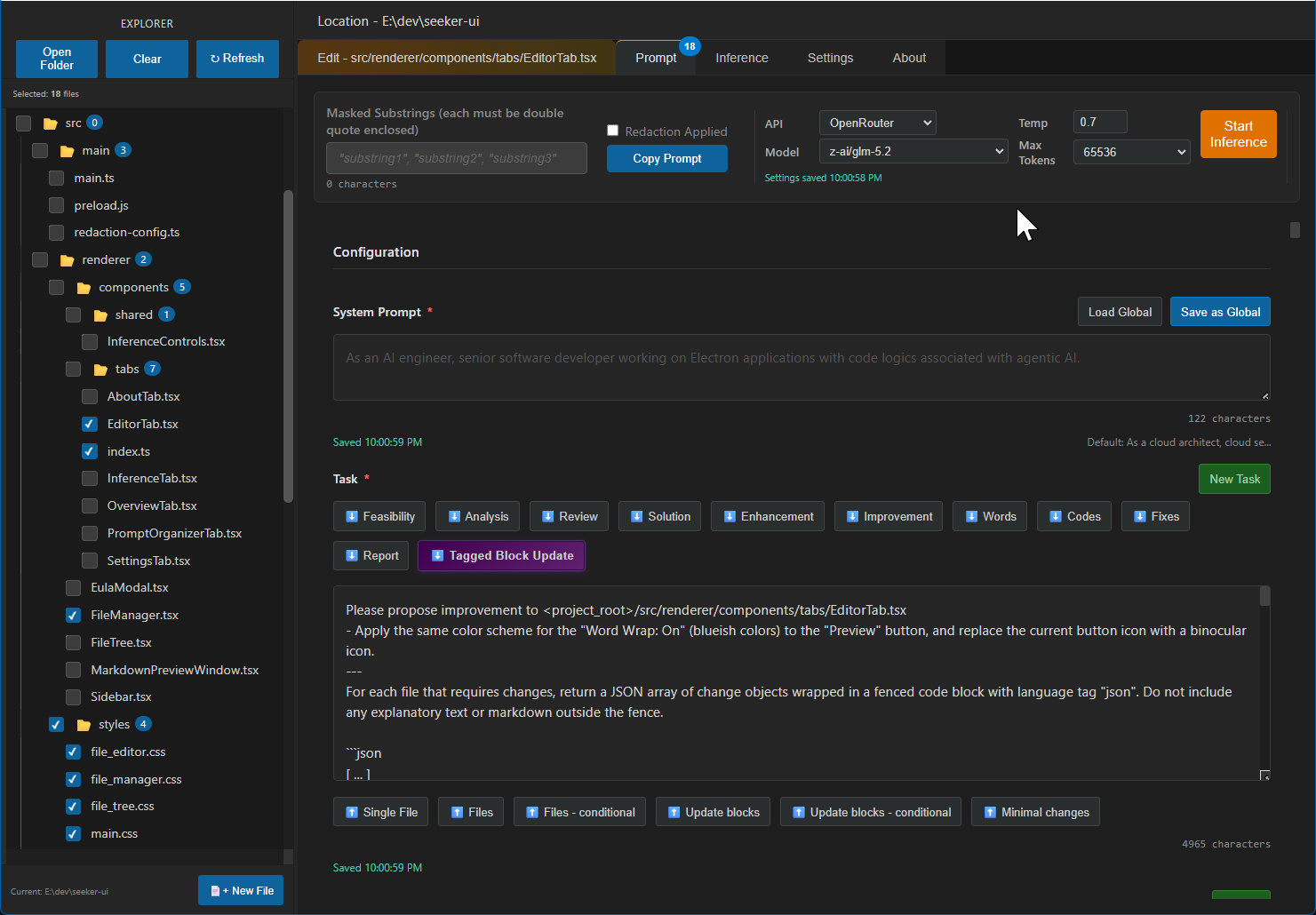
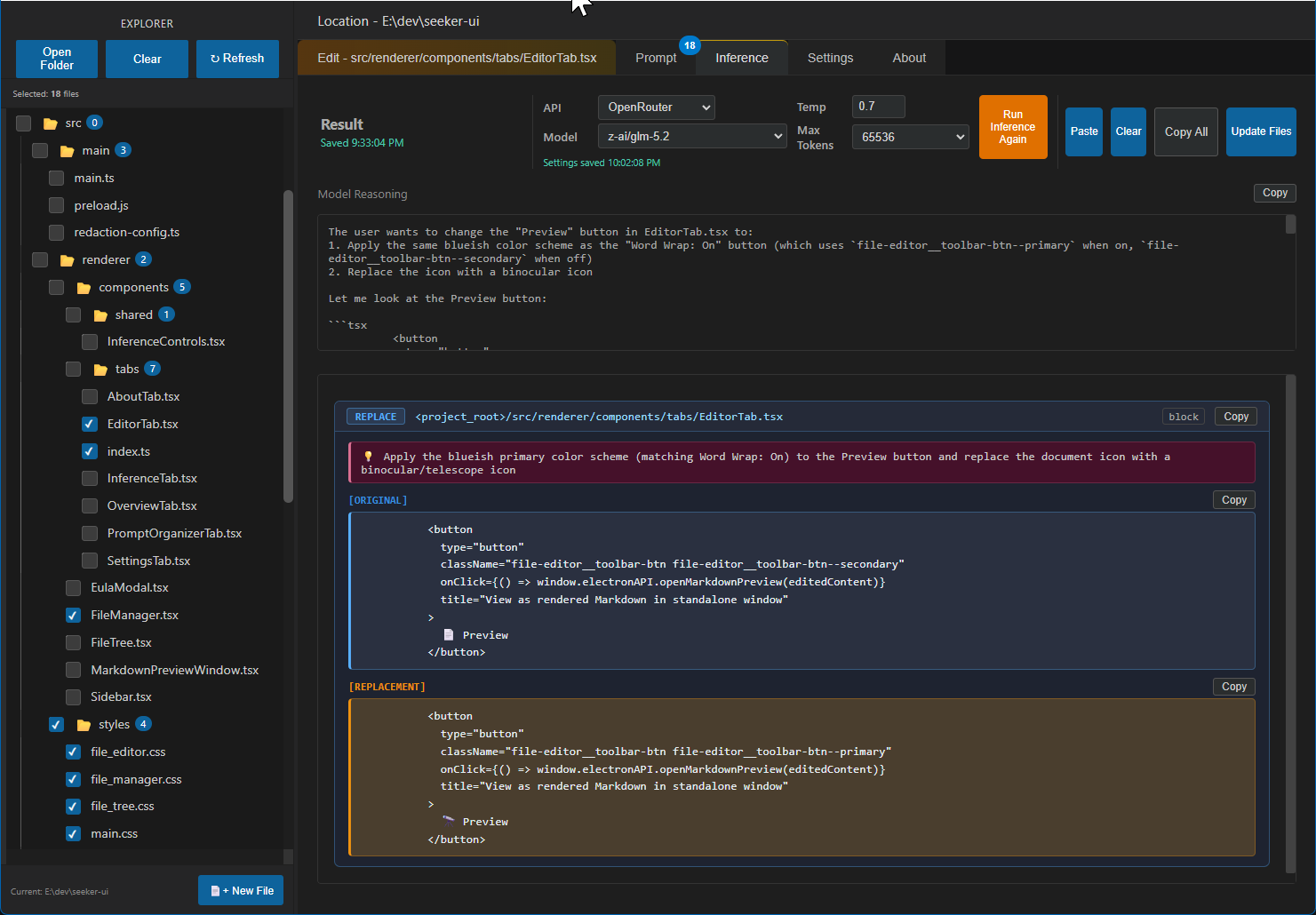
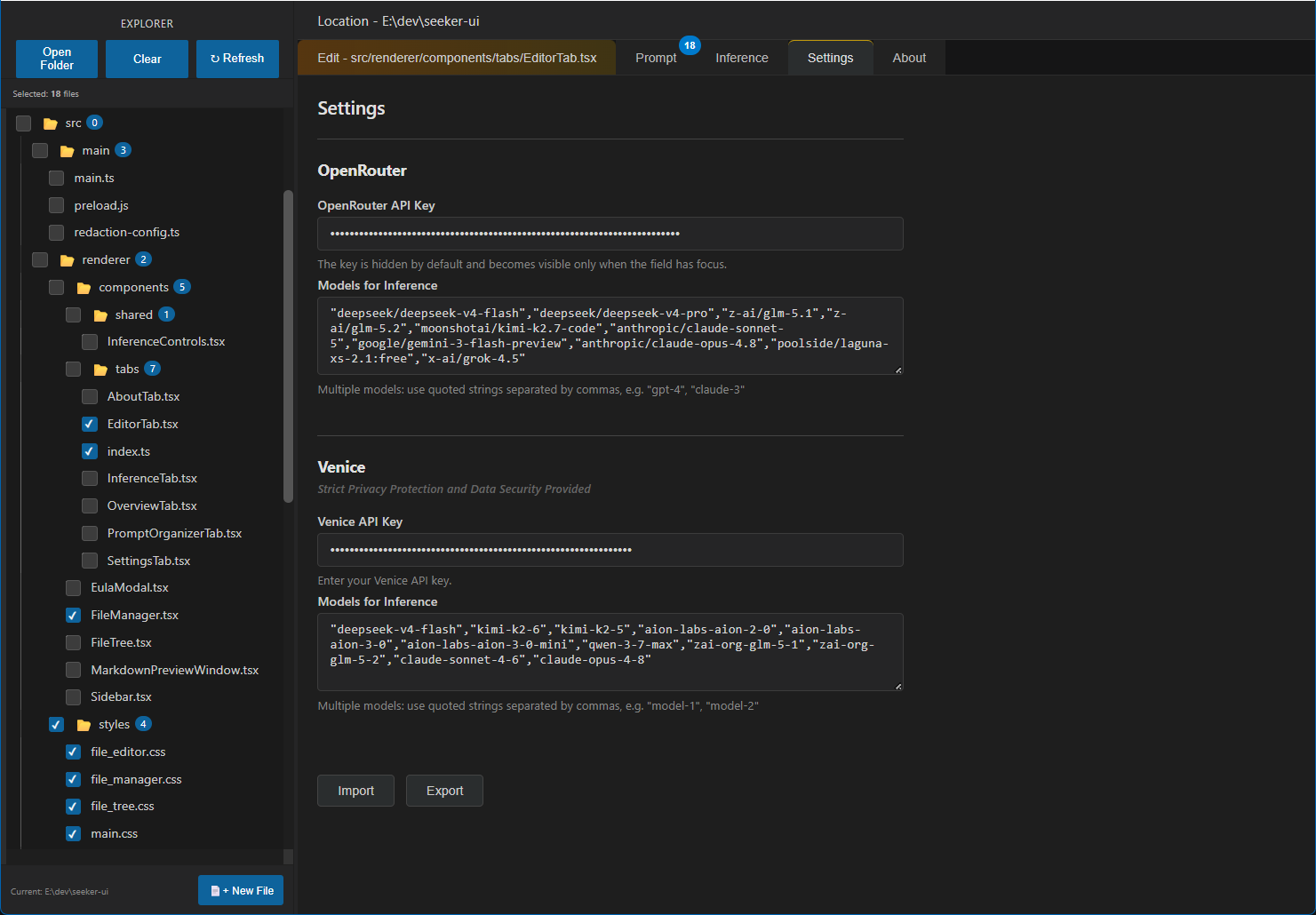
The screenshots below show the real Seeker UI interface — file explorer on the left, structured prompt editor in the centre, and AI response with one-click apply on the right. Everything you need, exactly where you expect it.

Everything in one
visual workspace

Seeker UI was designed so you spend time on your work, not on wrangling tooling.

📂
File Explorer

Browse your project, tick the files you need, and they are woven into your prompt automatically. Subfolder navigation and live preview included.

✏️
Structured Prompts

Separate sections for system role, task description, known issues, and file context — write once, reuse across sessions without reformatting.

One-Click Inference

Choose a model, set temperature with a slider, and hit Run. No API boilerplate, no terminal — ready to go in seconds.

🔍
Review Before Applying

AI-proposed file edits appear as readable blocks. Approve, skip, or copy each one — you remain in control of every change.

📋
Clipboard Workflow

Copy your assembled prompt to any AI service and paste the response back in. Works with every provider, not just one.

🛡️
Data Redaction

Built-in secret masking and custom substring redaction prevents sensitive strings from slipping into your prompts.

Your files stay
on your machine

🔒

Seeker UI is local-first. Your API keys, project files, and prompt history are stored only on your own device — never uploaded to any server.

There is no telemetry, no analytics, and no tracking of any kind. What you work on is your business alone.

Free to download.
Free to keep.

Pre-built installers for Windows and macOS are available on the GitHub releases page. Free for personal, non-commercial use.

Linux users can build from source on GitHub.